
Plan the inspection
Use the inspection cycle and office schedule to organise visits against the scaffold. Review due work and assign the inspector.
INSPECTIONS / FROM THE VISIT TO THE RECORD
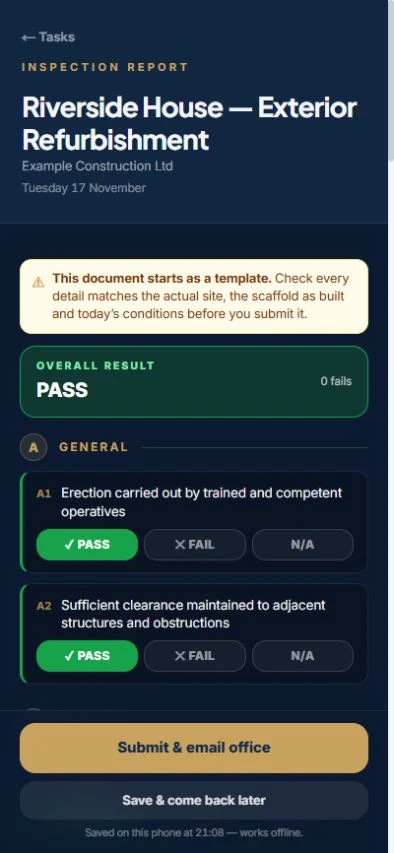
Give the inspector the job on their phone. Record checks, photos and a signature, then keep the report against the scaffold and project where the office can find it.
Designed for UK scaffolding firms.
THE CONNECTED WORKFLOW
Keep inspection scheduling, site findings and the signed report in the job workflow. The record should be available when the office, client or project team needs to review it.
Use the inspection cycle and office schedule to organise visits against the scaffold. Review due work and assign the inspector.
Work through the inspection on the phone using pass, fail or not-applicable responses. Attach photographs where the findings need evidence.
Complete the record with the signature. Keep the signed report against the project alongside the handover and other site documents.
Where inspection visits are chargeable, use the payment claim workflow to review quantities and the agreed per-visit rate before billing.
THE DETAIL THAT MATTERS
A useful demo starts with the visit on the schedule and finishes with the signed report in the office. Check how your team records defects, adds photos and retrieves the history.
Ask us to show your workflow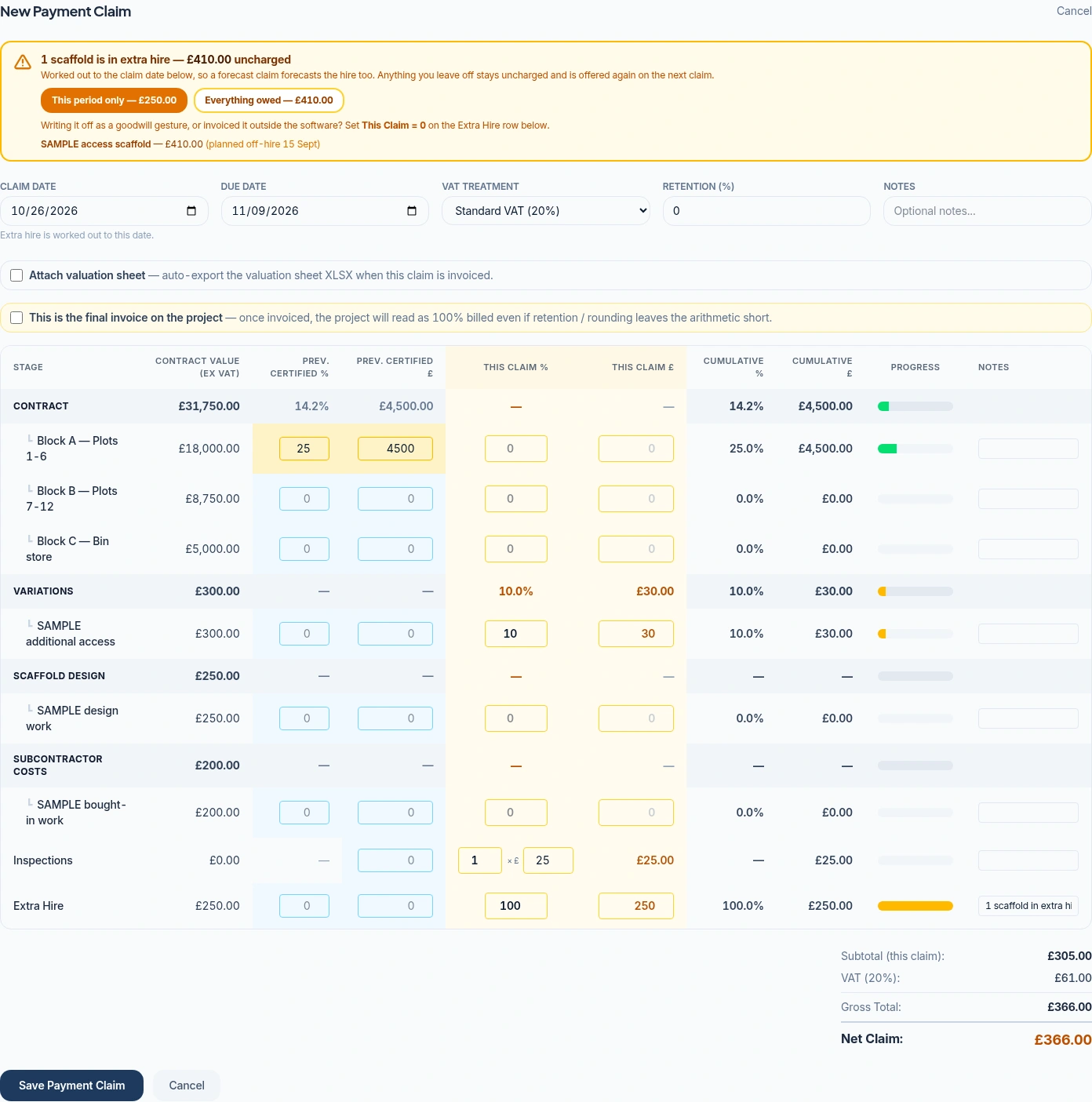
PART OF THE SAME JOB
Review inspection quantities alongside the other work on the payment claim. Keep the agreed rate and the job’s billing record in view rather than relying on a separate list of visits.
See payment claims and invoicingBEFORE YOU CHOOSE
Yes. The inspector can record checks, attach photos and sign using the site workflow. The report is stored with the project.
No. Your team remains responsible for the required inspection arrangements and competent-person judgement. The software supports scheduling and recording the inspection.
Yes. The commercial workflow supports inspection quantities at your per-visit rate. Review the recorded work and contractual terms before issuing the claim.
Features and user allowances depend on your package and configuration. Compare current plans.
SEE HOW IT FITS YOUR FIRM
Book a Teams walkthrough with the team. Bring questions about your current process, or follow a demonstration job through the software.
7-day management trial · No card needed · Our team sets up your access and emails your login