
Measure the scope
Price per elevation using length, height and boarded or unboarded lifts. Include the extra-over items the scaffold needs, rather than hiding them in a separate note.
ESTIMATING / YOUR RATES. YOUR METHOD.
Build the estimate around the work you know: dimensions, boarded lifts, hire periods and your own rate schedule. Keep the price with the enquiry so the job can move forward without starting again.
Designed for UK scaffolding firms.
THE CONNECTED WORKFLOW
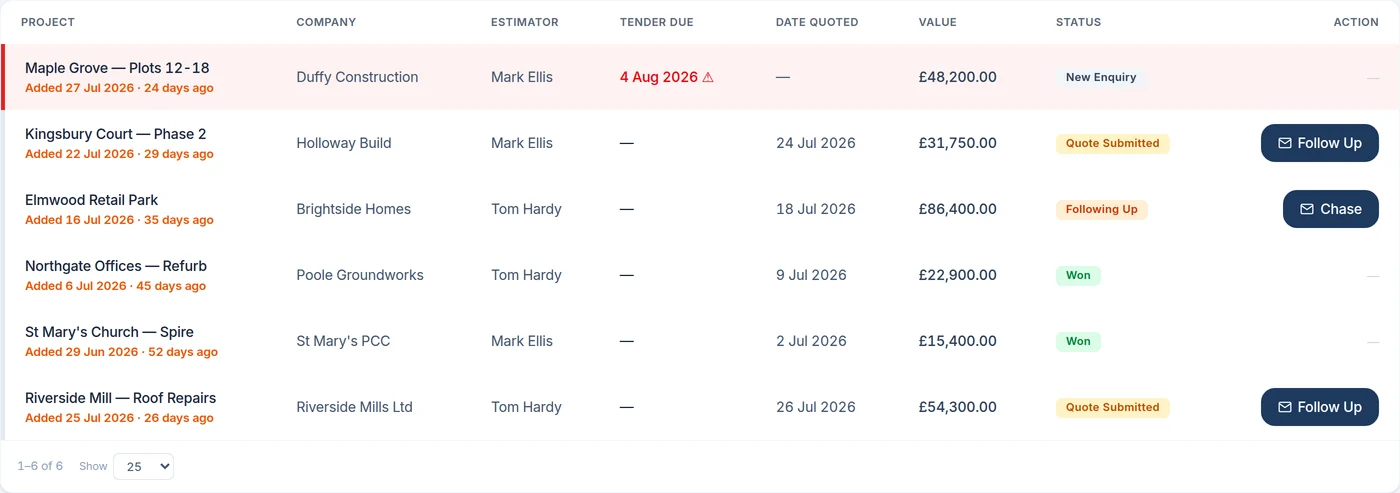
The figure you price is the starting point for the work that follows. Once the quote is won, the project carries its contract value into scheduling, payment claims and invoicing.
Price per elevation using length, height and boarded or unboarded lifts. Include the extra-over items the scaffold needs, rather than hiding them in a separate note.
Use your per-metre rates, minimum charges, hire and inspection rates. Keep reusable rate schedules so the next estimate has a clear basis.
Set the included hire period and extra-hire rate before the quote goes out. Check the priced scope and the terms together.
Mark the won quote as a live project, with contract stages ready for the management workflow. The estimate remains part of the job.
THE DETAIL THAT MATTERS
Bring one of your usual jobs to the demo. Ask us to enter the elevations, apply your rate schedule and show what changes when a boarded lift or hire period changes.
Ask us to show your workflow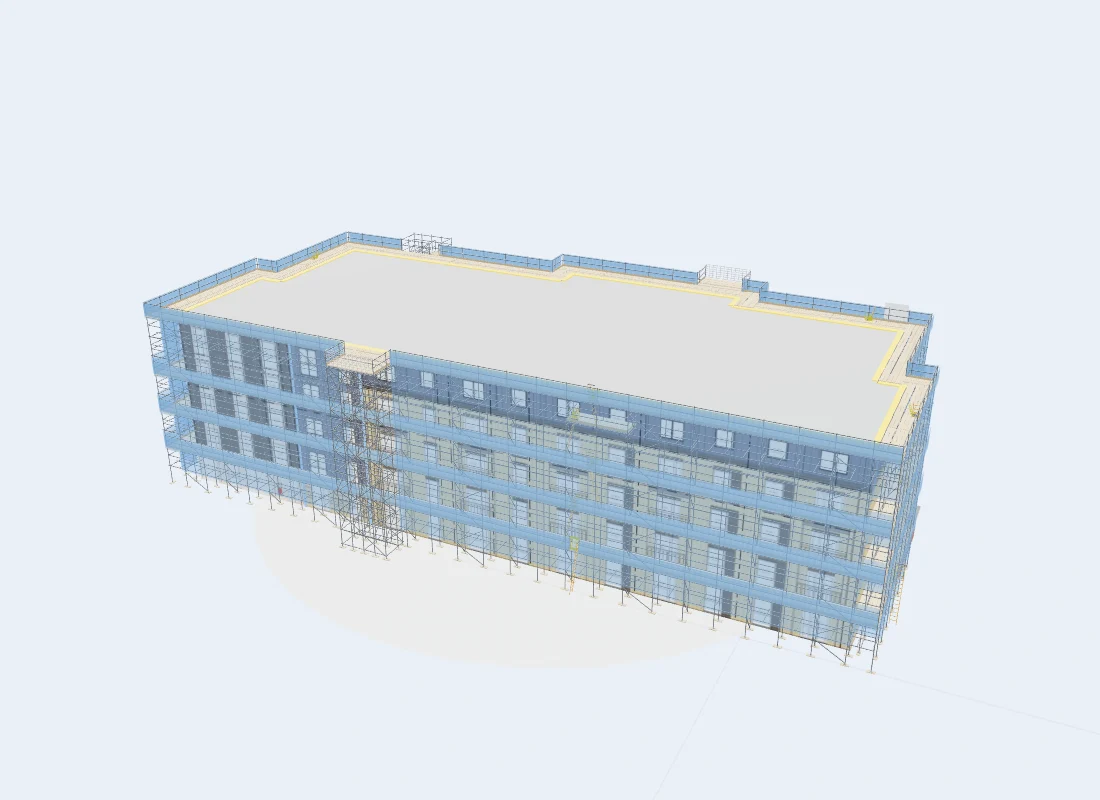
PART OF THE SAME JOB
The optional 3D Project Package lets you draw the building line, review the scaffold and price with your own rates. A counted gear list gives you the quantities behind the model.
Explore 3D modellingBEFORE YOU CHOOSE
Yes. The estimating workflow uses your rates, including per-metre pricing, minimum charges, hire, inspections and day-work rates. Check the setup for your firm during the walkthrough.
No. Elevation-based estimating and the optional 3D modelling workflow are different routes. Compare the packages or ask us to show both.
The won quote becomes a live project with its contract value broken into stages. The management workflow can then carry it through scheduling, claims and invoices.
Features and user allowances depend on your package and configuration. Compare current plans.
SEE HOW IT FITS YOUR FIRM
Book a Teams walkthrough with the team. Bring questions about your current process, or follow a demonstration job through the software.
7-day management trial · No card needed · Our team sets up your access and emails your login