
Capture the enquiry
Keep the company, contact, site and scope with the enquiry. Give the estimator one place to return to when they price or follow up.
QUOTING / FROM ENQUIRY TO ACCEPTANCE
Keep the enquiry, pricing, hire terms and client decision together. Prepare a branded scaffold quotation and see which jobs need following up, which are won and which are lost.
Designed for UK scaffolding firms.
THE CONNECTED WORKFLOW
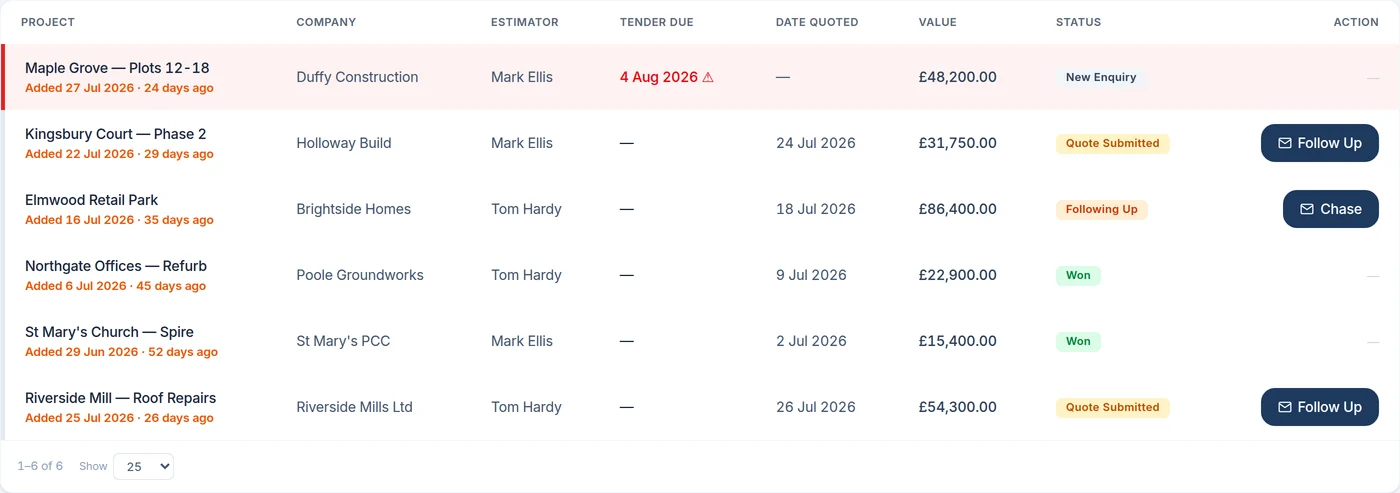
A submitted quote is still work in progress. Keep its value and status in the pipeline, then move the accepted work into a live project with the same commercial record.
Keep the company, contact, site and scope with the enquiry. Give the estimator one place to return to when they price or follow up.
Price elevations using your own rates. Include the hire period and weekly extra-hire rate so the commercial terms are part of the proposal.
Prepare a branded PDF with your logo, covering letter and itemised scope. Email sending from the app is available on the relevant plan.
Track submitted quotes, follow-up, won and lost work. Accepted work becomes a project with contract stages, ready for the team to plan.
THE DETAIL THAT MATTERS
Open the enquiry and see what was priced before calling the client. The scope, value and current status stay attached to the opportunity instead of being reconstructed from an inbox.
Ask us to show your workflow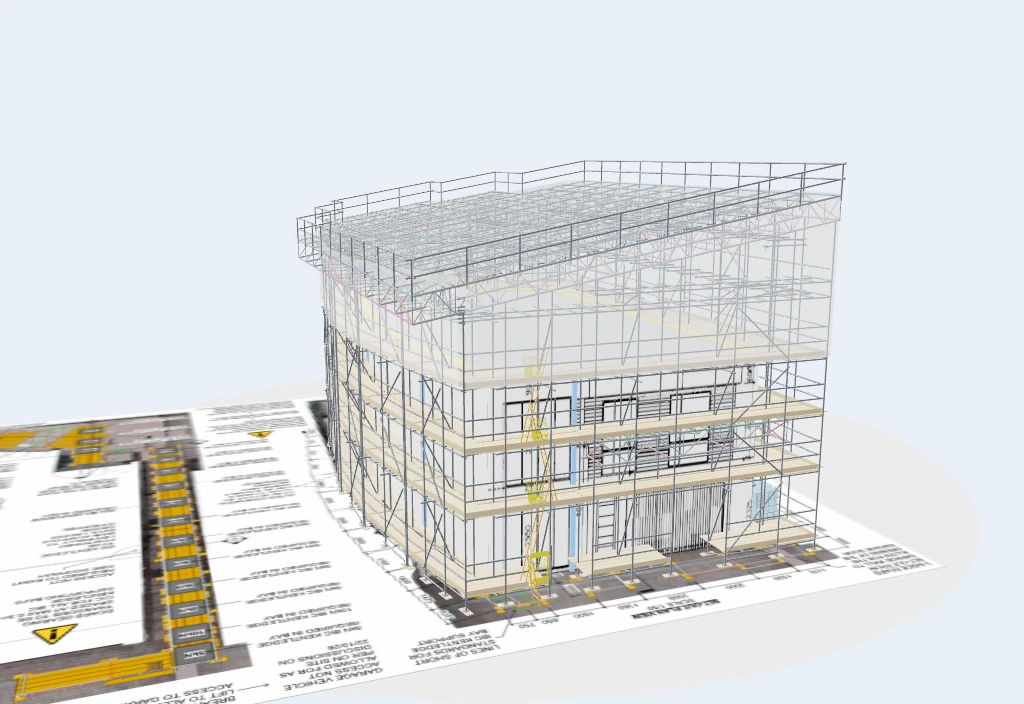
PART OF THE SAME JOB
With the 3D package, a quotation can carry a model of the proposed scaffold. Use it to talk through the access, platforms and scope alongside the price.
See scaffold proposals in 3DBEFORE YOU CHOOSE
Yes. Quotes can be produced as branded PDFs. Email sending from within the app and other commercial features depend on the plan you select.
Yes. Quote pricing uses your rate schedule, including minimums and extra-over items. Hire and extra-hire terms sit with the quote.
Yes. The enquiry pipeline tracks work through quotation, follow-up and the decision. Won quotes can be carried into live projects.
Features and user allowances depend on your package and configuration. Compare current plans.
SEE HOW IT FITS YOUR FIRM
Book a Teams walkthrough with the team. Bring questions about your current process, or follow a demonstration job through the software.
7-day management trial · No card needed · Our team sets up your access and emails your login