
See the week
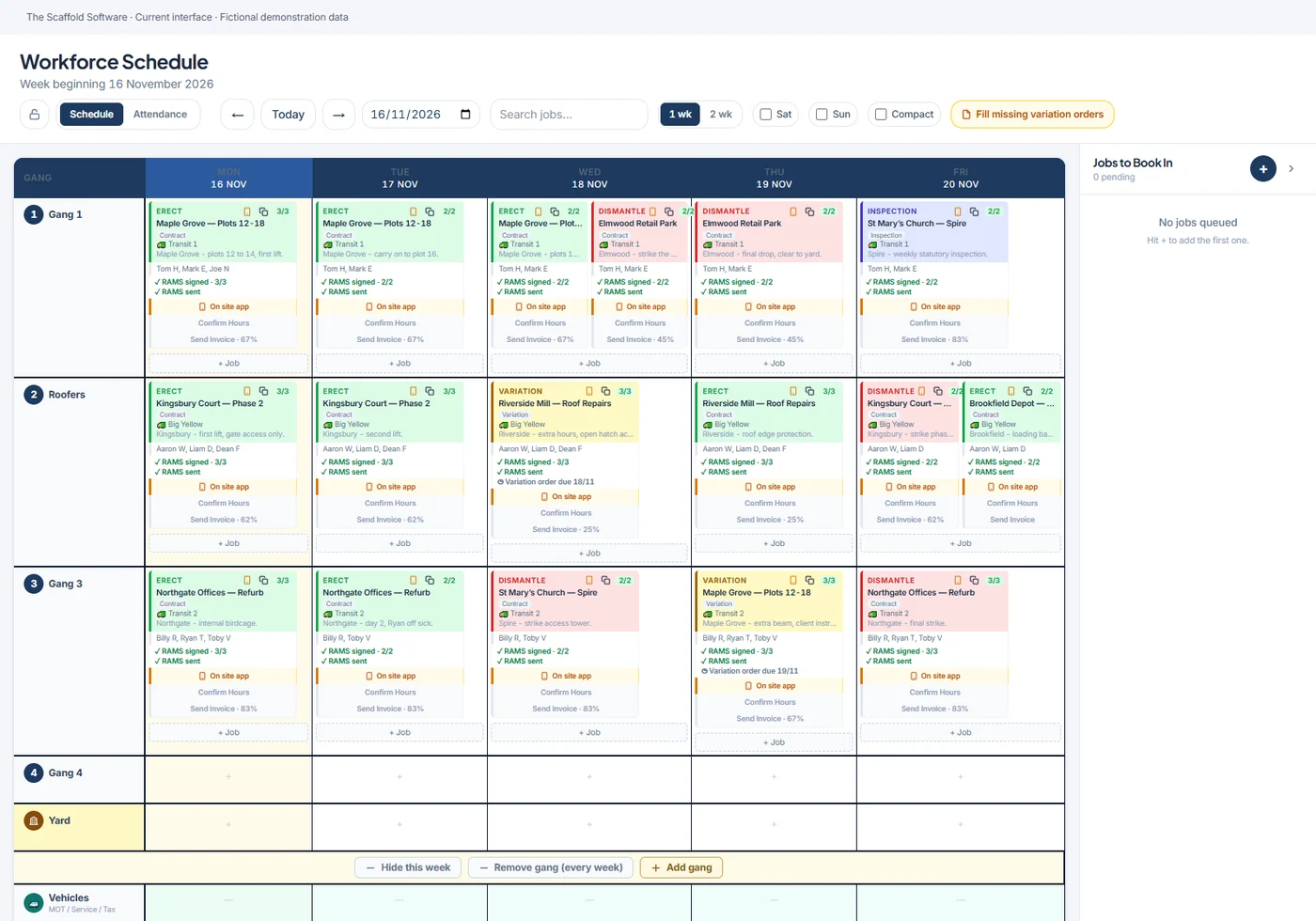
Review every gang against the jobs booked. Colour-coded work types make erects, variations, dismantles and inspections easier to distinguish.
GANG SCHEDULING / A CLEAR PLAN FOR THE WEEK
Put erects, adaptations, dismantles and inspections on one schedule. See the week across your gangs and keep the site team working from the plan the office has set.
Designed for UK scaffolding firms.
THE CONNECTED WORKFLOW
The schedule holds more than a time slot. Keep the crew, vehicle, job details and paperwork requirements with the planned visit, then record the work against the same project.
Review every gang against the jobs booked. Colour-coded work types make erects, variations, dismantles and inspections easier to distinguish.
Assign the crew and vehicle and set the relevant RAMS, handover and licence requirements. Keep work waiting for a slot in the jobs-to-book list.
The assigned work appears in the site app with its details and tasks. Gangs can open the work without relying on a photo of the office board.
Confirmed hours are recorded against the job and person. Relevant workforce and costing features use that record, subject to your plan and configuration.
THE DETAIL THAT MATTERS
Review availability and absence alongside planned work. Use the board to spot a crowded day while there is still time to move the booking or change the allocation.
Ask us to show your workflow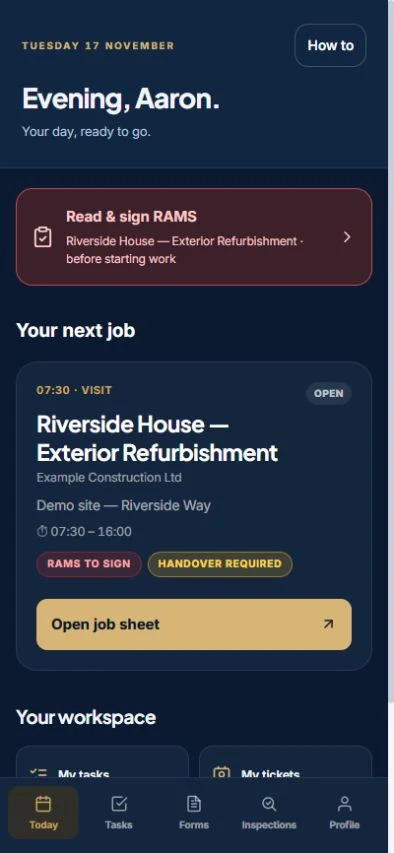
PART OF THE SAME JOB
Use the site app to see assigned jobs and tasks. Keep RAMS sign-on, inspections, handovers and project hours connected to the visit the office booked.
See the site operations appBEFORE YOU CHOOSE
Yes. The schedule distinguishes erects, adaptations, dismantles, variations and inspections. Assign the crew and relevant visit details to the planned work.
Assigned work appears through the site app. The team can view job details and work through the relevant paperwork and tasks.
Confirmed hours are attached to the person and job. Timesheet, wage and profitability features depend on the plan and workforce configuration; ask to see the exact setup during the demo.
Features and user allowances depend on your package and configuration. Compare current plans.
SEE HOW IT FITS YOUR FIRM
Book a Teams walkthrough with the team. Bring questions about your current process, or follow a demonstration job through the software.
7-day management trial · No card needed · Our team sets up your access and emails your login